
Chess for Kids - Play & Learn
Chess.comBoard
4.6829.00 Reviews
- Version
- Varies With Device
- Installs
- 1.00M
- Age Rating
- Everyone
Screenshots
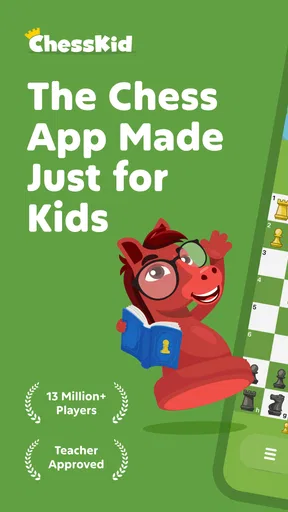
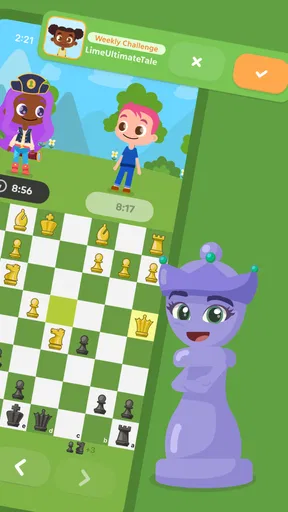
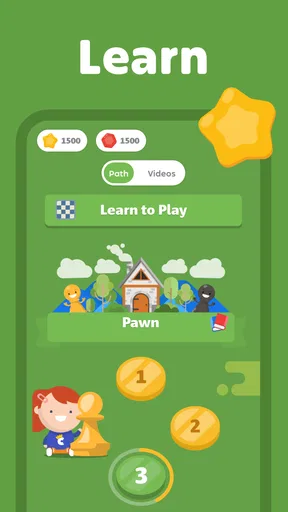
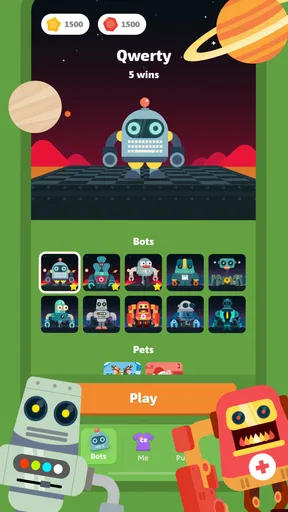
Our Review of Chess for Kids - Play & Learn
 Analysis by Appyee
My first useful test with a children’s chess app is simple: can a new player make a move without an adult having to explain every button? Chess for Kids - Play & Learn feels aimed at that first step. It is a free board game from Chess.com, built around helping children meet chess through play rather than treating it like homework. I’d consider it for a child who is curious about the pieces but not yet ready for a formal club or a dense strategy book.
A gentle place to make the first move
For a beginner, the most intimidating part of chess can be not knowing what to do next. The app’s child-friendly presentation helps lower that barrier: a young player can explore the board, learn the basic ideas, and get into a game without needing to understand opening theory first. That makes it useful for a short first session with a parent nearby, as well as for a child who already knows how the pieces move and wants to try playing independently.
I’d still treat the first few visits as shared screen time. A parent can help a child pause and think instead of tapping quickly just to see what happens, and can turn a confusing move into a small lesson. That doesn’t mean an adult has to become a chess coach; asking “What is your piece protecting?” is often enough to get a child looking at the board more carefully.
First Impressions and User Interface
When I first opened the app, I was greeted with vibrant colors and a friendly design. The interface is super intuitive, which is a big plus for kids who are just getting started. Everything is laid out in a way that makes it easy to navigate, even for the youngest users. It’s like a little chess wonderland that invites you to explore.
The app loads quickly and doesn’t seem to lag, which is crucial when you’re dealing with the attention span of a child. The animations are smooth, and the sound effects are playful without being overwhelming. Overall, the first impressions were really positive.
Features That Stand Out
One of the coolest things about Chess for Kids - Play & Learn is the variety of features it offers. It’s not just about playing chess; it’s about learning and improving in a fun way. Here’s what caught my eye:
- Interactive Lessons: The app offers interactive lessons that are designed to teach kids the basics of chess. These lessons are broken down into bite-sized pieces, making it easy for young players to grasp the concepts.
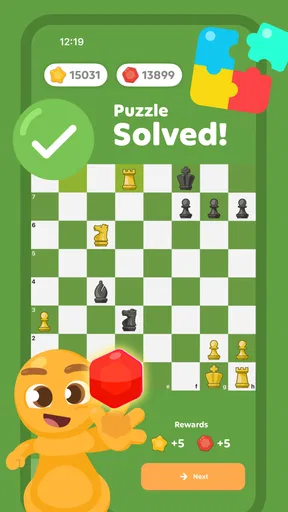
- Puzzle Challenges: There are tons of puzzles that help sharpen strategic thinking. It’s a great way for kids to practice what they’ve learned in the lessons.
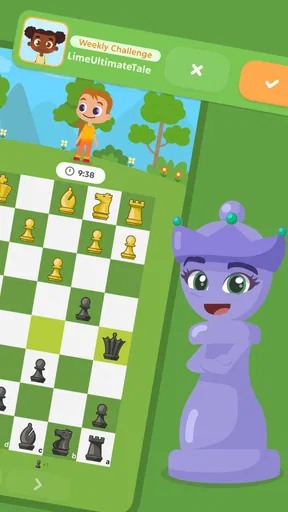
- Play with Friends: Kids can challenge their friends or play against the computer. This feature is fantastic for social interaction and friendly competitions.
- Safe Environment: The app ensures a safe and kid-friendly environment, which is reassuring for parents.
Why the feedback matters more than a quick win
The best learning loop in chess is not simply making a move and seeing whether it wins. It is noticing what happened, connecting that outcome to a decision, and trying a different idea next time. Lessons and puzzles can give a beginner a smaller, clearer task than a full game: identify a pattern, make a choice, then see whether the position changes as expected. I’d encourage a child to explain the reason for a move aloud, even if the explanation is only “I wanted to protect my queen.” That tiny pause makes practice more thoughtful.
There is a trade-off here. A puzzle has a neat goal, while a real game keeps presenting new problems without a single obvious answer. Children who enjoy quick wins may prefer the certainty of a challenge, but they still need patient games to learn how plans unfold. I’d alternate the two rather than letting puzzles become a substitute for playing: solve one, then look for a chance to use the idea in a game.
Learning Through Play
The app does an excellent job of making chess fun. The game is presented in a way that doesn’t feel like learning, even though kids are picking up new skills constantly. It incorporates various difficulty levels, so as your child improves, they can keep challenging themselves.
What’s really awesome is how the app uses rewards and achievements to motivate players. Kids can earn stars and trophies, which adds a layer of excitement and encourages them to keep pushing their limits.
Making rewards work for the learner
Rewards can be a helpful nudge, especially when a child has just started and a whole chess game still feels long. I’d use stars or trophies as a reason to celebrate effort, not as a scoreboard for whether a child is “good” at chess. A useful question after a session is not only “What did you earn?” but “What did you notice?” That keeps the reward attached to curiosity and progress rather than pressure.
Another practical approach is to set a small stopping point before opening the app: one lesson, a few puzzles, or one game. Chess can stretch out when a player is absorbed, so a clear endpoint makes it easier to fit into a family routine and leave the child wanting to return. If they finish early, that is a good moment to talk through one interesting move rather than immediately starting another round.
A realistic after-school routine
Imagine a child getting home from school with ten minutes before dinner. A short puzzle session can give them a focused task without requiring a full match, while a longer, calmer stretch on a weekend is better for playing through a complete game with a friend or adult. This is where the app’s mix of learning and play is more useful than a chessboard alone: it gives a family different ways to spend the time, depending on attention and schedule.
For parents, the practical question is whether a child can use it without constant help. The approachable design is a good start, but young beginners may still need support understanding chess ideas and choosing a sensible next step. I would sit with a new player at first, then gradually let them choose between a lesson, a puzzle, or a game. That handover is a better test of independence than simply leaving a child with the device.
Educational Value
Chess is known for improving cognitive skills like problem-solving, critical thinking, and concentration. Chess for Kids - Play & Learn capitalizes on these benefits and presents them in a way that’s accessible and engaging for children. The app has been crafted to not only teach the rules of chess but also to foster a love for the game.
Moreover, the app provides tips and tricks that help players understand the nuances of chess strategy. It’s like having a personal chess coach guiding you along the way.
Where it fits among chess options
Compared with a physical board, this is easier to pick up for a quick solo practice session and gives a child a structured route into lessons and puzzles. A real board is still better when a parent wants to sit face to face, point at a position, and talk through a plan together. For children who already understand the basics and want serious tournament preparation, a dedicated chess study tool or an in-person coach may offer a more focused experience than a child-oriented game.
The app is aimed at children, so adults looking for a full-featured chess platform may find its playful presentation less appealing. It is also not the right choice if the goal is only to play casual games with no learning structure, or if a child is already frustrated by chess and needs a break rather than another challenge. I’d match the tool to the child: curiosity and beginner-level practice suit it best; advanced analysis and formal competition call for something else.
Practical details for parents
The game is rated Everyone and has more than a million installs, with an average rating of 4.8 from around twenty thousand ratings. It has been available since April 7, 2013, and in-app purchases range from $7.99 to $48.99 per item. The basic download is free, but I’d review purchase settings with a child before handing over a device, particularly if they can navigate store prompts on their own. That is a sensible precaution for any free app that offers paid items, not a reason to assume a purchase is required to begin learning.
Chess.com has around eight hundred written reviews for the game, but I would focus less on popularity and more on whether the learning style suits the child in front of you. A child who likes bright presentation and bite-sized goals may settle in quickly; one who prefers quiet, hands-on instruction may do better with a board and a patient partner. Either way, the app can be a starting point rather than the whole of a child’s chess education.
Final Thoughts
In conclusion, if you’re looking for a way to introduce your child to chess, Chess for Kids - Play & Learn is a fantastic choice. It’s not just an app; it’s a delightful adventure into the world of chess that’s been thoughtfully designed for young minds.
The combination of educational content, engaging gameplay, and a safe environment makes it a standout. So go ahead, download it, and watch as your child discovers the joy and brilliance of chess. Happy playing!
My final take is that this works best when each session has a small purpose: learn one idea, try it in a puzzle, or test it in a game. That gives a child a clear action, feedback they can discuss, a reward to enjoy, and a natural stopping point before the next session. I’d recommend it to families who want an approachable first step into chess, while keeping a physical board or more advanced study option in mind as the child’s interests grow.
Verdict
Strengths of Chess for Kids - Play & Learn
- Engaging tutorials for young learners.
- Colorful graphics appeal to kids.
- Variety of difficulty levels available.
- Safe, ad-free environment for children.
- Encourages cognitive and strategic thinking.
Limitations of Chess for Kids - Play & Learn
- Limited features in the free version.
- Requires internet for full functionality.
- Older kids may find it too simplistic.
- Subscription model can be pricey.
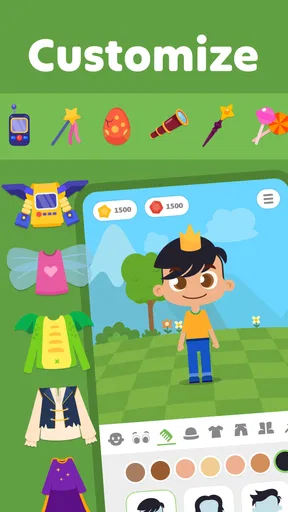
- Limited customization options for boards.
Other Releases by Chess.com
View All
Chess - Play and Learn Online
Board4.7

Learn Chess with Dr. Wolf
Board4.6
Similar Picks in This Category
View All
Ludo King®
Gametion4.1

Ludo
Yarsa Games4.6

Tile Master® - Matching Game
Higgs Studio3.6

Checkers Online
CC Games4.6

Dominoes
Loop Games4.7

Chess
Chess Prince4.6
Frequently Asked Questions
What age group is Chess for Kids - Play & Learn suitable for?
Chess for Kids - Play & Learn is designed for children aged 5 and up. The app features colorful graphics and engaging animations that capture young learners' attention. It offers a simplified interface, making it easy for kids to navigate and enjoy the learning experience without getting overwhelmed by complex options.
Does Chess for Kids - Play & Learn require an internet connection?
While some features of Chess for Kids - Play & Learn can be enjoyed offline, such as basic lessons and practice games, an internet connection is required for accessing multiplayer modes and additional downloadable content. This ensures children can continuously learn and interact with others in a safe online environment.
Are there parental controls available in Chess for Kids - Play & Learn?
Yes, the app includes robust parental controls to ensure a safe and suitable environment for children. Parents can manage screen time, restrict access to certain features, and monitor their child's progress. This helps in providing a balanced learning experience while keeping track of the child's development.
Is Chess for Kids - Play & Learn free to use?
Chess for Kids - Play & Learn offers a free version that includes basic features and lessons. However, there is also a premium subscription available, which provides access to advanced tutorials, additional puzzles, and multiplayer tournaments. The subscription enhances the learning experience with more content and interactive features.
Can beginners use Chess for Kids - Play & Learn effectively?
Absolutely! Chess for Kids - Play & Learn is crafted with beginners in mind. It starts with fundamental lessons and gradually introduces more complex strategies. The app uses interactive tutorials and fun challenges to build skills progressively, ensuring that young learners can start from scratch and develop their abilities at their own pace.
Play our best games!


